n digital design, it’s often the smallest details that bridge the gap between a “cool” image and a truly immersive masterpiece. Whether you are working on a cyberpunk concept piece, a futuristic UI design, or a complex sci-fi background, having the right assets is key.
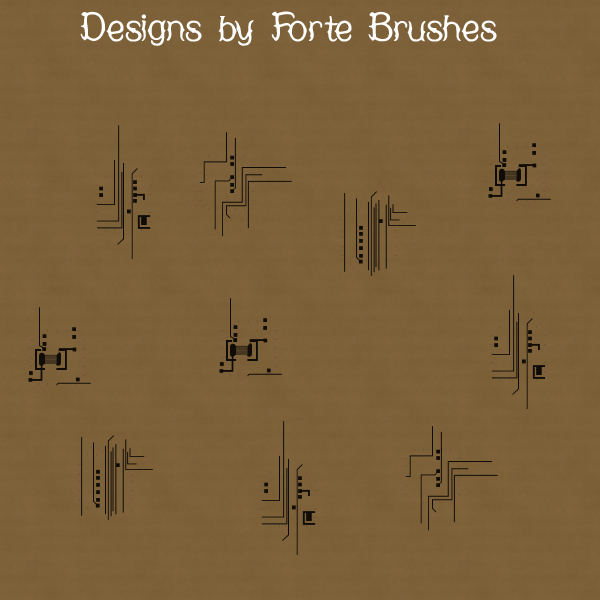
I am thrilled to finally release the Forte Brushes Tech Set for PaintShop Pro—a collection of four high-resolution brushes designed to bring intricate, mechanical precision to your canvas with a single click.
What’s Inside?
This set focuses on the beauty of circuitry and schematics. Each brush is crafted to mimic the clean lines and geometric complexity of motherboard pathways and industrial data streams.
Geometric Precision: Clean 90-degree angles and perfectly spaced nodes.
Layering Versatility: Designed to be layered using different blend modes (like “Screen” or “Overlay”) to create depth.
High Resolution: Crisp edges that hold up even on large-scale digital papers and posters.
Styling Tips for PaintShop Pro
To get the most out of these brushes, try these three techniques:
The Neon Glow: Stamp your brush in a bright color on a new layer. Go to
Effects > Reflection Effects > Feedbackor apply a slight Gaussian Blur, then duplicate the layer and set the top one to “Normal” for a glowing core.Metallic Etching: Use the brushes with a dark grey color on a metallic texture. Change the layer blend mode to “Multiply” and lower the opacity to make it look like the circuitry is etched directly into the metal.
Custom Textures: These aren’t just for standalone icons! Use them at a lower opacity to create a technical “watermark” pattern for digital papers or background tech-noise.
Beyond the Blueprint
While these are built with a “tech” aesthetic in mind, don’t be afraid to experiment. They work surprisingly well for:
Modern Scrapbooking: As accent borders for tech-themed layouts.
Abstract Art: Using them as “stamps” to break up organic shapes.
Glitch Art: Combining them with displacement maps for a corrupted data look.
Download & Connect
I can’t wait to see what you create with these. If you use them in your work, tag me or leave a comment below—I’d love to feature some of your designs in a future gallery post!
Download PSP Set Eight Brushes
Interested in more? Check out my other Photoshop and PaintShop Pro collections, including digital patterns and seasonal styles!
